

Among the latest innovations attracting attention is Meta AI Muse Image Generation, a technology designed to help users create high-quality images from simple text descriptions.
As Meta continues to expand its artificial intelligence ecosystem, Muse represents an important step towards making creative tools more accessible to individuals, businesses, marketers, educators, and content creators.
Whether you want to produce social media graphics, advertising visuals, concept artwork, educational materials, or product mock-ups, understanding how Meta AI Muse works can help you make better use of the technology.
This guide explains everything you need to know about Meta AI Muse Image Generation, including its features, benefits, use cases, pricing, limitations, and how it compares with competing AI image generators.
What Is Meta AI Muse?
Meta AI Muse is the name for Meta’s new family of AI models from Meta Superintelligence Labs (MSL) – the team Meta formed to build “personal superintelligence.” It’s not one model, but a series that now powers Meta AI across its apps.
1. Muse Spark – The core text & reasoning model
Launched April 8, 2026, Muse Spark is Meta’s first model from MSL and now underpins the Meta AI assistant on the Meta AI app, meta.ai website, and soon WhatsApp, Instagram, Facebook, Messenger, and Meta’s AI glasses.
What it does:
- Multimodal: Takes text, images, video, and audio as input; outputs text
- Reasoning modes: Has “Instant” and “Thinking” modes, with a more powerful “Contemplating” mode planned
- Agentic: Can coordinate multiple AI subagents to plan complex tasks — like building an itinerary with one agent while another finds kid-friendly activities
- Features: Shopping assistant with creator/community context, “visual coding” to make websites/mini-games from prompts
- Efficient: Designed to be small + fast but still handle complex science, math, health questions
Muse Spark 1.1 just launched with developer API access. It’s stronger at coding, tool/computer use, and agentic tasks, with a 1M token context window. Pricing is $1.25/1M input tokens, $4.25/1M output tokens.
2. Muse Image – The image generation model
Rolled out this week, Muse Image is MSL’s first media generation model.
What it does:
- Agentic image gen: Reasons before generating, can call tools like code + search, and self-refines to fix visual flaws
- Strong instruction following: Handles complex prompts, precise edits, multi-reference generations, infographics
- Tool use: Writes code to make accurate plots/QR codes, creates animated GIFs, websites with embedded images
- Where it lives: Available today in Meta AI app/web, Instagram Stories in the US, WhatsApp in limited countries, coming to Facebook
What Makes Meta AI Muse Different?
1. It’s “agentic” – it reasons and uses tools before it answers
Most AI models just predict the next word. Muse Spark and Muse Image are trained with reinforcement learning to think first, then decide if they need to call tools.
That means:
- Test-time compute: Muse Image scales predictably when given more time to “think,” and can spot + fix its own visual mistakes mid-generation
- Tool use built-in: Muse Spark + Image share tools and can plan together. Muse Image will write code to make accurate charts/QR codes, search the web for real-world facts, and even build websites with embedded images
- Multi-agent coordination: Ask it to plan a family trip, and Spark spins up subagents: one builds the itinerary, another finds kid-friendly activities, all working together
2. Designed for Meta’s apps, not just a chatbot
Muse wasn’t made as a standalone lab model. It’s optimised to live inside WhatsApp, Instagram Stories, Messenger, etc.
So you get:
- Native editing in chat: Feed Muse Image a photo and edit it with sketches/annotations right in DMs
- Social context: Shopping mode pulls recommendations from creators/communities you already follow, not generic web results
- 30+ AI effects for IG Stories powered by Muse Image
3. Multimodal from day one
Muse Spark is “natively multimodal” – not text-only with vision bolted on. It takes text, images, video, and audio as input.
Muse Image + Video share the same pretraining base, so the image model already understands motion/audio concepts that help the video model.
4. Reasoning modes for everyday use
Muse Spark ships with “Instant” for quick replies and “Thinking” for harder prompts, with a “Contemplating” mode coming. Meta is pushing this toward consumer tasks: trip planning, styling help, mini-game creation — not just coding benchmarks.
6 Key Features of Meta AI Muse Image Generation
Muse Image is Meta Superintelligence Labs’ agentic image generation model, the one that now powers image creation inside Meta AI. Here’s what sets it apart:
1. Agentic generation and self-refinement
Muse Image doesn’t just “guess” pixels. It’s trained with reinforcement learning to reason before it generates and call tools to get better results.
That means:
- Test-time compute scaling: Give it more “thinking time”, and outputs predictably improve
- Self-refinement: It spots visual flaws in its own draft and fixes them before showing you the final image
- Tool use: Can write code for accurate charts/QR codes, search for real-world facts, and build websites with embedded images
2. Strong instruction following
Meta says Muse Image “far exceeds” their previous model on following complex prompts. It handles:
- Multi-step prompts: “Make a poster for my dog’s birthday, 90s theme, put the text on a banner, add balloons”
- Infographics: Gets text placement, labels, and data right
- Precise edits: Tell it exactly what to change without redoing the whole image
3. Photo-aware with multi-reference generation
You can feed it images as input, not just text:
- Edit with sketches/annotations: Draw on a photo in chat and tell it what to change
- Multi-reference: Combine style from one image, subject from another, and background from a third
- Identity consistency: Keeps people/pets looking the same across edits
4. Interleaved generation
Muse Image can generate text and images together in one flow. Think:
- A mini comic where it writes the story and draws each panel
- A recipe with step-by-step images
- A website mockup with embedded AI-generated graphics
5. Built for Meta’s apps
It’s not a separate website; it’s baked into where you already chat:
- Meta AI app and web: Full image gen + editing
- Instagram Stories: 30+ new AI effects powered by Muse Image
- WhatsApp DMs: Generate/edit images directly in chats, limited to countries for now
- Coming to Facebook and Messenger
6. Quality benchmarks
Meta highlights strong results in:
- Text-to-Image Arena: Top-tier prompt following
- Image Edit Arena: Best for single-image and multi-image edits
Pricing: Basic use with Meta AI is free. More advanced creation capabilities will be part of Meta’s subscription plans.
How Meta AI Muse Works
- It uses an agentic architecture trained with reinforcement learning.
Unlike single-pass models, Muse Spark and Muse Image are taught to reason, plan steps, and decide when to use tools before producing a final answer. - Muse Spark handles text, reasoning, and multimodal input.
It natively accepts text, images, video, and audio, then breaks complex requests into subtasks and coordinates them to deliver a complete response. - Muse Image shares the same base model for visuals.
Built from Muse Spark, Muse Image generates and edits pictures while understanding language instructions, spatial relationships, and design concepts. - The system can call external tools during generation.
Muse performs web searches for current facts, runs Python for calculations or plots, and uses image tools to refine results, which improves accuracy and grounding. - It supports multi-agent coordination for complex tasks.
When a request has several parts, Muse Spark can deploy subagents to work in parallel, such as planning an itinerary while sourcing activity recommendations. - Muse Image applies self-refinement before output.
The model reviews its own draft, detects visual flaws like distorted hands or incorrect text, and corrects them automatically to improve first-pass quality. - It remembers context for conversational editing.
Users can iterate with follow-ups likechange the background to sunsetand Muse keeps the subject, style, and previous edits consistent across turns. - Modes balance speed and depth.
“Instant” mode gives fast answers, while “Thinking” mode allocates more time for reasoning, tool use, and self-checking on detailed or multi-step requests. - Integration happens inside Meta’s apps and services.
Muse runs on Meta’s infrastructure and is accessed through the Meta AI app, meta.ai, Instagram, and WhatsApp, with expansion to more surfaces planned.
How to Access Meta AI Muse
Meta AI Muse refers to the family of AI models that power Meta AI across Meta’s products. Access depends on the specific Muse capability you intend to use: Muse Spark for text and reasoning, or Muse Image for image generation.
1. Consumer Access to Meta AI Powered by Muse
Meta AI App and Website
Muse Spark and Muse Image are available through the standalone Meta AI app and at meta.ai. These platforms provide full access to text-based assistance, reasoning, and image generation features.
Instagram
Muse Image powers more than 30 AI effects for Instagram Stories and is available to users in the United States. Expansion to additional regions is planned.
WhatsApp
Image generation and editing with Muse Image is available in direct chats with Meta AI in select countries. Availability will continue to expand.
Facebook and Messenger
Integration of Muse capabilities into Facebook and Messenger is scheduled for upcoming releases.
Meta AI Glasses
Muse Spark will roll out to Meta’s AI glasses in the coming weeks to support voice-based multimodal interactions.
Availability Notes
Basic use of Muse Image with Meta AI is provided at no cost. Advanced creation capabilities will be offered through Meta subscription plans. Regional availability may vary as Meta continues the global rollout.
2. Developer Access to Muse Spark
Muse Spark 1.1 API
Meta has released developer access to Muse Spark 1.1. This version is optimised for real-world coding and agentic tasks and supports a 1 million token context window.
Access Method
Developers can integrate Muse Spark 1.1 through Meta’s developer platform. Usage is priced at 1.25 USD per 1 million input tokens and 4.25 USD per 1 million output tokens.
Capabilities
The API provides access to reasoning modes, tool use, computer use, and multi-agent coordination for building applications and autonomous workflows.
How to Generate Images With Meta AI Muse
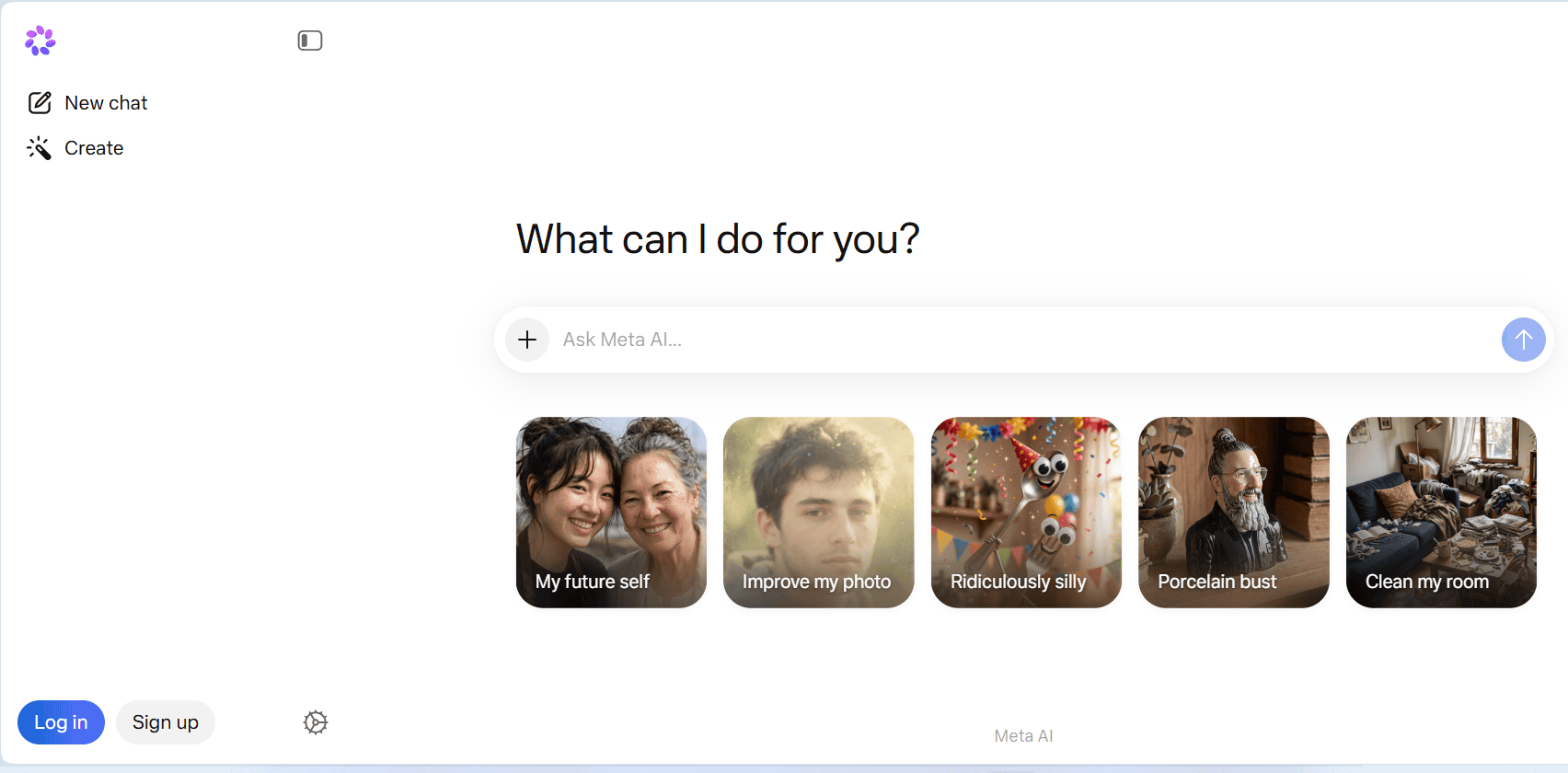
It’s pretty simple since it’s built right into the apps you already use:
Option 1: In the Meta AI app or meta.ai website
- Open Meta AI
Go to the Meta AI app or meta.ai on the web. You’ll need to be signed in. - Describe what you want
Just type your prompt like you’re texting a friend.
Example:A golden retriever wearing sunglasses, sitting in a Leicester café, watercolor style - Get your image
Muse Image generates it in a few seconds. You can then:- Tap “Edit” and tell it the changes:
make the coffee cup bigger - Sketch on the image to mark what to change
- Ask for variations:
give me 3 more options
- Tap “Edit” and tell it the changes:
Option 2: In Instagram Stories
- Open the Stories camera and tap the Meta AI icon/effects
- Pick an AI effect — there are 30+ powered by Muse Image
- Type a prompt or upload a reference photo and it’ll generate right into your Story
Option 3: In WhatsApp
Rolling out to select countries now
- Open a chat with Meta AI or tag
@Meta AIin any chat - Type
/imagine+ your prompt
Example:/imagine a birthday card for my dad, golf theme - Reply to the image to edit it:
add “Happy 60th” in bold text
Tips for better results with Muse Image
- Be specific: Style, mood, colours, composition help.
cyberpunk city at night, neon pink, wide shotbeatscool city - Use reference images: Upload a photo and say
turn this into a cartoonorput me in a spacesuit - Edit, don’t restart: It’s agentic — tell it what to fix instead of rewriting the whole prompt
- Combine things:
Use the dog from this photo + the beach from this other photo + anime style
How to Write Effective Prompts
Muse Image is agentic and strong at instruction following, so clear structure gets better results than vague one-liners. Here is how to prompt for best results:
1. Use a clear structure: Subject + Style + Details + Composition
Muse Image handles multi-step instructions well. Give it the key pieces in order.
Basic formula:
[Subject] + [Action/Setting] + [Style/Medium] + [Lighting/Color] + [Composition/Framing]
Weak: dog
Strong: A red fox sleeping on a mossy log in an autumn forest, digital oil painting, warm golden hour lighting, close-up portrait
Why it works: Each part guides the model. Muse Image uses the detail to reason and self-refine.
2. Specify style and medium explicitly
Muse Image excels at style transfer and precise aesthetics. Name them.
|
Goal |
Example Prompt |
|---|---|
|
Photorealistic |
|
|
Illustration |
|
|
Infographic |
|
|
Art style |
|
3. Control composition and framing
Tell it where things go. Muse Image has strong spatial understanding.
Examples:
Wide landscape shot of the Lake District at sunrise, misty valleys, rule of thirdsTop-down flat lay of a Sunday roast dinner, wooden table, natural window lightCharacter portrait, head and shoulders, centered, looking at camera, plain gray background
4. Use references for edits and consistency
You can upload images and reference them in text. This is where Muse Image is strongest.
Multi-reference example:
Use the dog from [uploaded photo 1] and the park background from [uploaded photo 2]. Make it a cartoon style illustration.
Edit example:
Upload an image, then prompt: Keep the person the same. Change the shirt to red. Add sunglasses. Make it sunset lighting.
5. Iterate, do not restart
Muse Image is agentic and can self-refine. Treat it like a conversation.
Step 1: Logo for Leicester bakery, minimalist, bread icon
Step 2: Keep this layout. Change color to navy blue and gold. Make the font bolder.
Step 3: Now put it on a transparent background
This works better than rewriting the full prompt each time.
6. Add what to avoid with negative cues
Muse Image follows instructions, including what not to include.
Example:
Street market in Leicester, daytime, photorealistic. Avoid crowds, cars, modern signs. Focus on vintage stalls.
7. For text in images, be explicit
Muse Image handles text better than prior models, but you still need to quote it.
Example:
Retro poster for “Leicester Music Festival 2026”, bold sans-serif text at top, guitar illustration below, red and cream colors
Best Meta AI Muse Prompt Examples
|
Use case |
Template |
|---|---|
|
Product shot |
|
|
Social graphic |
|
|
Character art |
|
|
Logo |
|
|
Scene edit |
|
- Consider reading: Meta Launches New AI Model Amid Ongoing Spending Drive
8 Meta AI Muse Image Editing Features
Muse Image is an agentic image generation model, so its editing capabilities go beyond basic filters. It reasons about your instructions and can make precise, context-aware changes to images you provide or that it generates.
1. Conversational, Multi-Step Editing
You can refine images through natural language in the same conversation. Muse Image remembers the context and applies only the requested changes.
Example flow:
Generate: A photo of a black cat on a sofaChange the sofa to navy blue velvetNow add a small window with sunlight behind the catMake it look like golden hour
It keeps the cat and overall composition consistent across steps.
2. Sketch and Annotation Editing
In the Meta AI app and WhatsApp, you can draw directly on an image to guide the edit.
How it works:
- Upload or generate an image
- Use the sketch tool to circle or mark an area
- Add a text instruction:
replace this with a vase of sunflowersorremove this person
Muse Image uses the annotation to understand spatial intent and applies the edit only where marked.
3. Multi-Reference Editing
Combine elements from several images into one coherent output.
Capabilities include:
- Subject transfer:
Put the dog from image 1 into the beach scene from image 2 - Style transfer:
Keep the person from this photo, but render in the art style of this painting - Background replacement:
Use this portrait. Change background to a cyberpunk city
Muse Image maintains identity and lighting consistency when merging references.
4. Precise Object and Attribute Editing
The model has strong instruction following for targeted changes without regenerating the entire image.
You can edit:
- Objects:
Change the coffee mug to a wine glass - Colors:
Make the car red instead of blue - Clothing:
Change the jacket to leather, color black - Text:
Update the sign to say “Welcome to Leicester” - Lighting and time of day:
Change scene to night with neon lights
5. Inpainting and Outpainting
Inpainting: Remove or replace specific parts. Example: Remove the tourist in the background and fill in the scene naturally
Outpainting: Extend the image beyond its borders. Example: Expand this portrait to a wide shot showing the full room
6. Style and Medium Transformation
Transform existing images into different artistic styles while preserving the subject.
Examples:
Turn this photo into a watercolor paintingMake this image look like 90s animeConvert to pencil sketch, keep the composition
7. Text Rendering and Infographic Editing
Muse Image has improved text handling for posters, labels, and infographics.
You can:
- Add or edit text:
Add bold text at top that says “Sale Ends Friday” - Fix spelling or layout in generated infographics
- Update data in charts:
Change the bar chart to show 60% instead of 40%
8. Identity Consistency
When editing photos of people or pets, Muse Image is trained to maintain identity across changes.
Example: Using this photo of my son, put him in a graduation gown, keep his face the same
Best Use Cases for Meta AI Muse
- In-chat image creation and editing.
Users can generate or modify images directly in WhatsApp, Messenger, or the Meta AI app by typing prompts or using sketch tools to mark changes. - Social content for Instagram and Facebook.
Muse Image powers AI effects in Stories and helps creators make posters, thumbnails, profile pictures, and branded visuals without leaving the app. - Product and marketing visuals.
Small businesses can generate product photos, lifestyle shots, logos, and ad creatives with specific styles and backgrounds, then refine them through conversation. - Step-by-step visual instructions.
Muse Image handles infographics, diagrams, and how-to guides with multiple elements and accurate text, useful for tutorials and explainers. - Photo personalisation and restyling.
Users can upload a photo and change outfits, backgrounds, seasons, lighting, or art style while keeping the person or subject’s identity consistent. - Multi-reference composition.
Muse can combine elements from several uploaded images, such asput the dog from photo 1 into the park from photo 2 in a watercolor style. - Learning and study support.
Muse Spark explains topics, solves math with code execution, analyses uploaded charts, and creates visual aids or summaries for students. - Trip and event planning.
With multi-agent coordination, Muse can build itineraries, suggest activities, and adjust plans based on preferences like budget, location, and group size. - Coding and agentic workflows.
Developers use Muse Spark 1.1 via API for writing code, debugging, automating tasks, and building agents that browse, analyse, and act across tools. - Quick brainstorming and ideation.
Muse helps generate names, slogans, story ideas, recipes, or gift suggestions, then instantly creates matching visuals to test concepts.
Is Meta AI Muse Free?
It depends on how you access it and which features you use. Meta has historically introduced some AI features at no cost while reserving advanced capabilities for premium services.
1. For consumers using Meta AI in apps
Basic use: Free
Access to Muse Spark for text and reasoning, and basic image generation with Muse Image, is available at no cost through:
- The Meta AI app
- meta.ai website
- Instagram Stories in the United States
- WhatsApp in select countries
You can chat, ask questions, generate images, and do basic edits without payment.
Advanced creation capabilities: Paid
Meta has stated that additional Muse Image creation capabilities will be available through Meta’s subscription plans. This includes expanded access, higher usage limits, or premium editing and generation features. Specific subscription details and pricing for consumers have not been fully released yet.
2. For developers using the API
Muse Spark 1.1: Pay-per-use
Developer access to Muse Spark 1.1 is not free. Pricing is:
- 1.25 USD per 1 million input tokens
- 4.25 USD per 1 million output tokens
This applies to API usage for building applications, coding, and agentic workflows.
3. Regional availability
Muse features are rolling out gradually. Free basic access may vary by country as Meta expands availability to WhatsApp, Facebook, and Messenger globally.
Summary
|
Access type |
Cost |
|---|---|
|
Meta AI app/web chat + basic image gen |
Free |
|
Instagram Stories AI effects |
Free |
|
WhatsApp image gen with Meta AI |
Free in select countries |
|
Advanced Muse Image features |
Via Meta subscription, details pending |
|
Muse Spark 1.1 API for developers |
Paid per token |
Advantages of Meta AI Muse
- Basic chat and image generation with Muse are free when using the Meta AI app or the meta.ai website. Users can ask questions, get reasoning support, and create or edit images without any cost.
- Instagram Stories offers more than 30 AI effects powered by Muse Image at no charge to users in the United States. These effects allow people to generate and stylise images directly inside Stories.
- WhatsApp image generation with Meta AI is free in select countries where the feature has rolled out. Users can type prompts or use the /imagine command to create and edit images in their chats.
- Advanced Muse Image features will require a Meta subscription plan. This includes expanded creation tools, higher usage limits, and premium editing capabilities that go beyond basic generation.
- Developer access to the Muse Spark 1.1 API is paid. The current pricing is 1.25 USD per 1 million input tokens and 4.25 USD per 1 million output tokens for building apps and agentic workflows.
- Availability and specific features may vary by country. Meta is still expanding Muse access to more regions and will continue adding it to Facebook, Messenger, and other surfaces.
Limitations and Challenges
Like all AI systems, Meta AI Muse is not perfect.
- Generated images may occasionally contain inaccuracies, unusual details, or inconsistencies.
- Complex prompts do not always produce perfect results on the first attempt.
- Users may also encounter limitations related to copyright policies, content restrictions, or commercial usage rights.
- Regional availability is still limited. Muse features are rolling out gradually, so access to Meta AI, Muse Image, and WhatsApp integration is not yet available in every country.
- Advanced features require a paid subscription. While basic chat and image generation are free, expanded creation tools and higher usage limits for Muse Image will be part of Meta’s subscription plans.
- Developer API use is not free. Muse Spark 1.1 access for building applications is priced per token, which may limit use for developers with high-volume or budget-sensitive projects.
- Accuracy depends on prompt clarity. Like all generative models, Muse performs best with specific, well-structured prompts and may produce inaccurate or unexpected results from vague instructions.
- Complex tasks can take more time. The agentic reasoning and self-refinement features improve quality but require more processing time in “Thinking” mode, so instant results are not always possible.
- Content restrictions apply. Muse follows Meta’s safety guidelines and will not generate content that violates policy, including certain types of imagery, text, or instructions.
- Integration is tied to Meta’s ecosystem. Most Muse features are designed for use inside Meta apps, which limits standalone or cross-platform workflows compared to open-source alternatives.
Copyright, Ownership, and Commercial Usage
Questions surrounding ownership and commercial rights remain important in the AI industry.
Users should carefully review Meta’s terms of service before using generated images for commercial projects.
- Content generated with Muse is subject to Meta’s Terms of Service. When users create text or images using Meta AI, the output is governed by the terms they agree to when using Meta’s products.
- Users generally own the content they generate. Meta states that users own the content they create with Meta AI, subject to the license granted to Meta to host and use that content within its services.
- Meta retains a license to use generated content. By using Meta AI, users grant Meta a non-exclusive, transferable, sub-licensable, royalty-free license to host, use, distribute, and display the generated content for operating and improving its products.
- Commercial use is permitted but not guaranteed for all cases. Users can generally use Muse-generated images and text for commercial purposes, such as marketing or products, but they are responsible for ensuring the output does not infringe third-party rights.
- Muse does not provide copyright registration or legal clearance. Meta does not certify that generated outputs are free of third-party copyrighted material, so users should review results before commercial use.
- Prompts and inputs must not violate copyright law. Users cannot upload or prompt Muse to reproduce substantial portions of copyrighted works, trademarked characters, or protected brand assets without permission.
- Policy enforcement applies to all usage types. Any generation or use that violates Meta’s safety guidelines, including IP infringement or impersonation, may result in content removal or account restrictions.
Privacy and Data Considerations
Privacy is a growing concern in artificial intelligence.
Users should avoid submitting sensitive personal information within prompts.
Businesses should also exercise caution when generating content related to confidential projects or proprietary data.
Reviewing Meta’s privacy policies can help users understand how information may be processed and stored.
10 Top Tips to Get Better Results with Meta AI Muse
- Be specific with subject, style, and details. Clear prompts that include the subject, setting, art style, lighting, and composition give Muse Image better direction than vague one-word requests.
- Use the Subject + Style + Details + Composition structure. A formula like
A red fox on a mossy log, autumn forest, digital oil painting, golden hour lighting, close-up portraitproduces more accurate results than single terms. - Name the art style or medium directly. Muse Image follows style instructions well, so specifying
watercolor,photorealistic,isometric illustration, or90s animehelps control the final look. - Control framing and camera details. Add terms like
wide shot,top-down,rule of thirds, or85mm lensto guide layout and perspective, since Muse has strong spatial understanding. - Upload reference images for edits and consistency. Users can combine photos or say
keep the person from this imageanduse the background from that imageto merge elements accurately. - Iterate conversationally instead of restarting. Muse remembers context, so follow up with
change the shirt to redormake it sunsetrather than rewriting the entire prompt each time. - Use sketch and annotation tools for precise changes. In the Meta AI app or WhatsApp, draw on the image and add text like
replace this with a vase of flowersto target edits exactly. - Tell it what to avoid. Add negative cues such as
avoid crowds, no text, no modern carsto remove unwanted elements from the scene. - Quote text for posters and graphics. When adding words to an image, put them in quotes:
text that says “Leicester Music Festival 2026”to improve text rendering accuracy. - Use “Thinking” mode for complex tasks. Giving Muse Image a few extra seconds to reason and self-refine produces better results for detailed infographics, layouts, or multi-step edits.
10 Common Problems and How to Troubleshoot
- The feature is not available in the region yet. Muse Image and Meta AI access are still rolling out globally, so users in some countries may not see image generation or editing options. Check meta.ai or update Meta apps to access new rollouts.
- The image does not match the prompt. Vague or conflicting instructions often cause mismatches. Make the prompt more specific by adding subject, style, lighting, and composition details, then regenerate or edit with a follow-up.
- Text in images is misspelt or missing. Muse Image has improved text rendering, but it still works best with short phrases in quotes. Use
text that says “Your Words Here”and keep it under 5-7 words for better accuracy. - Edits change too much of the image. If a follow-up request alters unintended areas, be more precise. Say
only change the shirt color to red, keep everything else the sameto maintain consistency. - Face or identity looks different after edits. For photos of people or pets, include
keep the person the sameormaintain identityin the prompt to preserve likeness across style or background changes. - Generation is slow or stuck on “Thinking.” Complex prompts, multi-step edits, or high demand can increase wait time. Refresh the chat or simplify the request. Using “Instant” mode provides faster but less detailed results.
- Uploaded reference image is not recognised. File types must be standard formats like JPG, PNG, or WEBP. If the image fails, re-upload it and reference it clearly:
use the dog from the uploaded photo. - Content is blocked or flagged. Meta follows Meta’s safety guidelines and will refuse prompts that violate policy, including copyrighted characters, explicit content, or impersonation. Rephrase the request to comply with terms.
- Images lose quality when downloaded. Download directly from the Meta AI app or meta.ai to get the highest resolution. Screenshots or sharing through other apps may compress the file.
- WhatsApp or Instagram commands do not work. Ensure Meta AI is enabled and the app is updated. In WhatsApp, use
/imaginefollowed by the prompt. In Instagram, access AI effects through the Stories camera.
Who Should Use Meta AI Muse?
- Casual users who want quick AI help in chat.
People using WhatsApp, Messenger, or the Meta AI app can ask Muse questions, brainstorm ideas, or generate images without switching to another tool. - Social media creators on Instagram and Facebook.
Muse Image powers 30+ AI effects in Instagram Stories and enables in-app generation and editing, making it useful for creating posts, thumbnails, and visuals on the fly. - Small business owners and marketers.
Users can generate product photos, posters, logos, and ad creatives with text instructions, then refine them conversationally. This helps with low-cost content creation for promotions. - Students and learners.
Muse Spark’s reasoning and multimodal support can explain concepts, solve problems, analyse uploaded diagrams, and create study visuals or infographics. - Developers building AI agents and tools.
With the Muse Spark 1.1 API, developers get a 1 million token context window, computer use, and tool integration for coding, automation, and custom agentic applications. - Hobbyists and visual artists.
Muse Image supports style transfer, sketch-to-image, multi-reference editing, and precise object changes, which suits people experimenting with digital art or personal projects. - Event planners and everyday organisers.
Muse Spark can coordinate multiple tasks, like building itineraries and finding activities, making it helpful for planning trips, parties, or schedules. - Anyone who prefers integrated tools over standalone apps.
Because Muse lives inside Meta apps users already open daily, it works well for people who want AI assistance without learning a new platform.
Final Verdict
Meta AI Muse Image Generation represents an important development in the growing field of AI-powered creativity. By enabling users to create high-quality visuals through simple text prompts, the technology has the potential to make content creation faster, more accessible, and more affordable.
For content creators, entrepreneurs, educators, marketers, and businesses in Nigeria, Meta AI Muse could become a valuable tool for producing professional visual content without the traditional costs and technical barriers associated with graphic design. While challenges remain regarding accuracy, licensing, and evolving feature sets, the platform reflects the broader direction of the creative technology industry.
As Meta continues to refine its AI ecosystem, Meta AI Muse Image Generation is likely to play a significant role in shaping the future of digital content creation.
Frequently Asked Questions
- What is Meta AI Muse?
Meta AI Muse is the new family of AI models from Meta Superintelligence Labs. It includes Muse Spark for text, reasoning, and multimodal tasks, and Muse Image for image generation and editing. - Where can Muse be used?
Muse is available in the Meta AI app, on meta.ai, in Instagram Stories in the US, and in WhatsApp in select countries. Meta plans to expand it to Facebook, Messenger, and Meta AI glasses. - Is Meta AI Muse free to use?
Basic chat, reasoning, and image generation with Muse are free in the Meta AI app and on meta.ai. Advanced Muse Image features will require a Meta subscription plan. - Can images created with Muse be used commercially?
Users generally own the content they generate and can use it for commercial purposes. However, users are responsible for ensuring the output does not infringe third-party copyrights or trademarks. - How is Muse different from other AI models?
Muse is agentic, meaning it can reason before responding, use tools, and self-correct. It is natively integrated into Meta apps and supports sketch editing, multi-reference images, and conversational step-by-step refinement. - Does Muse support editing existing photos?
Yes. Users can upload a photo and ask Muse Image to change objects, colours, backgrounds, clothing, lighting, or style while keeping the main subject consistent. - Can Muse generate images of real people?
Muse can edit photos of people the user provides, with features to maintain identity consistency. It follows Meta’s safety guidelines and will not create harmful or deceptive impersonations. - Why does Muse take longer sometimes?
In “Thinking” mode, Muse spends extra time reasoning and self-refining to improve quality on complex tasks. Simple prompts return faster in “Instant” mode. - Is there a developer API for Muse?
Yes. Muse Spark 1.1 is available via API for developers. It supports a 1 million token context window and tool use, priced at 1.25 USD per 1 million input tokens and 4.25 USD per 1 million output tokens. - Does Muse work offline?
No. Muse requires an internet connection because it runs on Meta’s servers and uses agentic tools like search and code execution to generate responses. - What languages does Muse support?
Muse supports multiple languages for prompts and conversation. For best image text rendering, include important words in quotes and specify the language if needed. - How can users get better image results?
Use detailed prompts with subject, style, lighting, and composition. Upload references, iterate with follow-up edits, and use sketch tools to mark changes for more control.

AI Writer
Bio: Joseph Michael is an MBA graduate in Marketing from Ladoke Akintola University of Technology and a passionate tech enthusiast. As a professional writer and author at AIbase.ng, he simplifies complex AI concepts, explores digital innovation, and creates practical guides for Nigerian learners and businesses. With a background in marketing and brand communication, Joseph brings clarity, insight, and real-world relevance to every article he writes.
1 Comment
In one word…. AMAZING.