

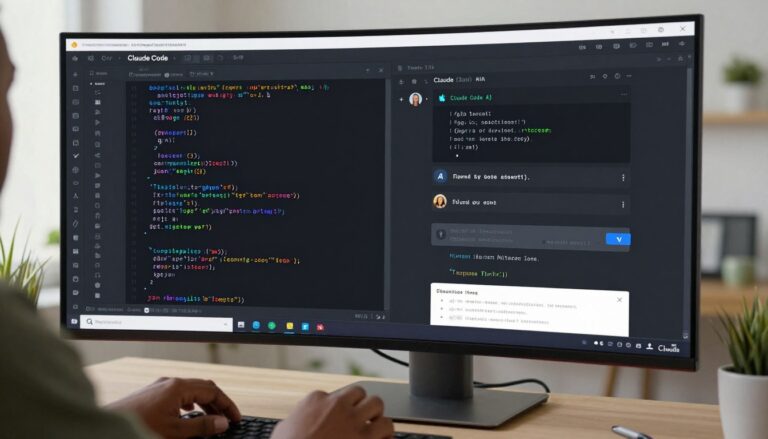
The landscape of software development continues evolving at a remarkable pace. Nigerian developers now have access to sophisticated artificial intelligence tools that were once exclusive to large technology companies. Among these innovations, Claude Code has emerged as a powerful coding assistant that transforms how developers write, debug, and understand code.
Claude Code represents Anthropic’s specialised coding interface built upon the Claude AI foundation. This intelligent assistant understands programming contexts, navigates project structures, and provides meaningful assistance across multiple programming languages. For developers in Nigeria’s growing technology sector, this tool offers capabilities that address real challenges faced daily.
This comprehensive guide examines Claude Code from a Nigerian developer’s perspective. You’ll discover how this AI coding assistant functions, its core features, practical applications in local development contexts, and specific benefits for individual developers and technology teams across the country. Whether you’re building web applications in Lagos, developing mobile solutions in Abuja, or creating software products in Port Harcourt, understanding Claude Code’s capabilities helps you evaluate how AI assistance fits into your development workflow.
What Is Claude Code? Understanding the Fundamentals
Claude Code functions as an AI-powered coding companion that integrates directly into your development workflow. Built by Anthropic using advanced language models, this tool comprehends programming languages, software architecture, and development patterns. Unlike simple code completion tools, Claude Code engages in meaningful dialogue about your codebase whilst maintaining awareness of your project’s structure and context.
The system operates through a chat-based interface where developers can ask questions, request code generation, seek explanations of complex logic, or get assistance with debugging. This conversational approach means you interact with Claude Code using natural language rather than memorising specific commands or syntax. You can describe what you want to achieve, and the assistant provides relevant code suggestions tailored to your project’s context.
What distinguishes Claude Code from generic AI chatbots is its deep understanding of software development practices. The tool recognises file structures, understands relationships between different code modules, and maintains context across extended conversations about your project. When you ask Claude Code about a specific function, it considers how that function relates to other parts of your codebase rather than treating each query in isolation.
For Nigerian developers, this capability proves particularly valuable. Whether you’re working on fintech applications requiring secure payment integrations, e-commerce platforms serving local markets, or enterprise solutions for Nigerian businesses, Claude Code adapts to your specific technical stack and project requirements. The assistant supports multiple programming languages including Python, JavaScript, Java, C++, and many others commonly used in Nigeria’s technology sector.
The underlying technology uses large language models trained on vast amounts of code and programming documentation. This training enables Claude Code to understand not just syntax but also best practices, common patterns, and effective solutions to recurring development challenges. The system continuously learns from interactions whilst respecting privacy by not storing your proprietary code.
Core Features and Capabilities
Claude Code delivers a comprehensive suite of features designed to enhance developer productivity across the entire development lifecycle. Understanding these capabilities helps developers identify where AI assistance provides the most value in their daily work.
Intelligent Code Generation
The code generation capability extends far beyond simple autocomplete. Claude Code can generate complete functions, classes, or even entire modules based on your specifications. You describe the functionality you need in plain language, and the assistant produces working code that follows best practices and integrates with your existing codebase.
This feature proves especially useful when implementing standard functionality like API endpoints, database queries, or user authentication systems. Instead of writing boilerplate code from scratch or searching through documentation, developers can quickly generate foundational code and then customise it to meet specific requirements.
Context-Aware File Navigation
One of Claude Code’s most powerful features is its ability to understand your project structure. The assistant can navigate through files, folders, and directories whilst maintaining awareness of how different components relate to each other. When you ask about a specific function or class, Claude Code automatically locates relevant files and provides context about where that code exists within your project.
This context awareness means you can work more efficiently without constantly switching between files or trying to remember where specific code lives. The system handles the mental overhead of tracking project structure, allowing you to focus on solving problems rather than navigating codebases.
Advanced Code Explanation
Understanding unfamiliar code represents a common challenge for developers, especially when working with legacy systems or joining new projects. Claude Code excels at explaining complex code in clear, understandable language. You can highlight any section of code and ask for an explanation, receiving detailed breakdowns of what the code does, how it works, and why certain approaches were used.
This educational aspect proves invaluable for Nigerian developers learning new frameworks or programming languages. Rather than spending hours researching documentation, you receive immediate, contextualised explanations that accelerate your learning process.
Development Speed
Generate boilerplate code, implement standard patterns, and scaffold new features rapidly. Claude Code handles repetitive coding tasks, allowing developers to focus on unique business logic and complex problem-solving.
Error Resolution
Identify bugs quickly, understand error messages clearly, and receive specific debugging suggestions. The assistant analyses error contexts and proposes targeted solutions based on your codebase structure.
Code Quality
Improve code maintainability through refactoring suggestions, best practice recommendations, and architectural guidance. Claude Code helps developers write cleaner, more efficient code that follows industry standards.
Multi-Language Support
Claude Code provides robust support across numerous programming languages and frameworks. Whether you’re developing mobile applications with React Native, building backend services with Node.js, creating data pipelines with Python, or working with traditional languages like Java or C#, the assistant adapts to your technical environment.
This versatility matters particularly in Nigeria’s diverse technology ecosystem, where developers often work across multiple platforms and languages. A single AI assistant that understands your entire technical stack proves more valuable than specialised tools for individual languages.
Terminal and Command Integration
Beyond code generation and explanation, Claude Code assists with command-line operations and terminal workflows. The system can suggest appropriate commands, explain terminal outputs, help troubleshoot deployment issues, and guide you through complex development operations that involve multiple command-line tools.
This terminal integration streamlines development processes, particularly for developers who work extensively with Git, package managers, build tools, and deployment pipelines. The assistant becomes a knowledgeable companion for the full spectrum of development activities.
How Claude Code Works: Technical Overview
Understanding the technical architecture behind Claude Code helps developers use the tool more effectively and set appropriate expectations for its capabilities. The system combines several sophisticated technologies to deliver intelligent coding assistance.
Language Model Foundation
At its core, Claude Code utilises advanced large language models specifically trained on software development tasks. These models have processed enormous quantities of code repositories, programming documentation, technical discussions, and software engineering resources. This extensive training enables the system to understand programming concepts, recognise patterns, and generate appropriate code across diverse contexts.
The language models employ transformer architectures that excel at understanding context and relationships within text. When applied to code, this technology recognises how different parts of a programme interact, understands variable scopes, tracks function dependencies, and maintains awareness of architectural patterns throughout your project.
Project Context Management
Claude Code builds a comprehensive understanding of your project through systematic analysis of your codebase structure. When you start working with the assistant, it processes information about your files, directories, dependencies, and code organisation. This analysis creates an internal representation of your project that the system references during conversations.
The context management system allows Claude Code to provide relevant suggestions that fit naturally within your existing architecture. When you ask about implementing a new feature, the assistant considers your current code organisation, identifies appropriate locations for new code, and suggests implementations that align with your project’s established patterns.
Conversation Memory and Continuity
Unlike stateless AI systems that treat each query independently, Claude Code maintains conversation history throughout your work session. This memory enables natural, flowing dialogue where you can ask follow-up questions, refine previous requests, or explore related topics without repeating context.
The system tracks what you’ve discussed, remembers code it has generated or analysed, and uses this information to provide more relevant assistance as your conversation progresses. This continuity creates a more intuitive experience that mirrors working with a knowledgeable colleague rather than repeatedly explaining context to a forgetful tool.
Real-Time Code Analysis
When you interact with Claude Code about specific files or code sections, the assistant performs real-time analysis to understand current code state, identify potential issues, and recognise improvement opportunities. This analysis considers syntax correctness, logical structure, performance implications, and adherence to best practices.
The real-time nature of this analysis means you receive immediate feedback as you develop. Rather than waiting for code reviews or discovering issues during testing, you can identify and address potential problems whilst actively writing code.
Installing and Setting Up Claude Code
Getting started with Claude Code requires understanding the installation process and initial configuration. The setup varies depending on your development environment and preferred workflow.
Installation Methods
Claude Code can be accessed through multiple interfaces depending on your needs. The primary method involves using Claude through its web interface at claude.ai, where you can interact with the AI through a chat-based system. For more integrated development workflows, developers can use Claude Code through compatible integrated development environments or text editors that support AI assistant plugins.
Nigerian developers should ensure stable internet connectivity during initial setup, as the installation process requires downloading necessary components and authenticating your access. Using a reliable connection prevents installation interruptions that might require restarting the process.
Account Configuration
To use Claude Code, you need an Anthropic account. The registration process involves providing basic information and verifying your email address. Anthropic offers different access tiers, including free options that provide substantial functionality for individual developers and small projects.
After creating your account, you’ll receive access credentials that allow you to authenticate when using Claude Code. Keep these credentials secure, as they control access to your AI assistant and any project contexts you’ve established.
Project Initialisation
When starting work with Claude Code on a new project, the system needs to understand your codebase structure. This initialisation involves granting the assistant appropriate permissions to access your project files and directories. The process typically requires specifying which folders and files Claude Code should have access to, ensuring the system can provide contextually relevant assistance.
For Nigerian developers working on client projects or proprietary code, understanding these access permissions matters significantly. The system respects the boundaries you set, accessing only the portions of your file system that you explicitly authorise. This permission model protects sensitive information whilst allowing Claude Code to function effectively within approved areas.

Workspace Configuration
Claude Code allows customisation of various settings that control how the assistant interacts with your projects. These settings include preferences for code style, language-specific configurations, response verbosity, and context depth. Configuring these options according to your preferences creates a more personalised experience that aligns with your coding standards and project requirements.
Developers working in teams should consider establishing consistent configuration settings across team members. This consistency ensures that Claude Code provides uniform suggestions and maintains code style coherence when multiple developers use the assistant on shared projects.
Working with Files and Project Structure
Claude Code’s ability to navigate and understand file structures represents one of its most valuable capabilities. Effectively using these features requires understanding how the system processes project organisation and file relationships.
File Access and Navigation
The assistant maintains awareness of your project’s file structure, allowing you to reference files using simple descriptive language rather than precise path specifications. When you mention a file name or describe a component, Claude Code locates the relevant file within your project structure and provides context about its contents and relationships to other files.
This intelligent navigation proves particularly valuable in large codebases where finding specific implementations can consume significant time. Instead of manually searching through directory trees, you ask Claude Code about the functionality you’re interested in, and the assistant directs you to relevant code locations.
Multi-File Context
Modern software projects rarely involve working with single, isolated files. Claude Code understands this reality and maintains context across multiple files simultaneously. When discussing a feature that spans several modules, the assistant tracks relevant code across all involved files and provides suggestions that consider the complete implementation context.
This multi-file awareness enables more sophisticated assistance than systems that analyse individual files in isolation. Claude Code recognises how changes in one file might affect other parts of your codebase and provides warnings or suggestions about necessary corresponding updates in related files.
Directory Management
Beyond individual files, Claude Code understands directory structures and organisational patterns. The system recognises common project layouts like Model-View-Controller architectures, microservices structures, or feature-based organisations. This recognition allows the assistant to suggest appropriate locations for new code that maintains your project’s established organisational principles.
When adding new features, Claude Code can recommend where to create new files, what to name them, and how to structure directories to maintain consistency with your existing architecture. This guidance helps developers, especially those newer to large-scale project organisation, maintain clean, logical code structures.
File Creation and Modification
Claude Code can assist with creating new files and modifying existing ones through its code generation capabilities. When you request implementation of new functionality, the assistant can suggest complete file contents, indicate appropriate file locations, and provide code that integrates properly with your existing project structure.
The system handles both creation of entirely new files for additional features and modification of existing files to extend or refactor current functionality. This flexibility supports various development workflows, whether you’re building new features from scratch or enhancing existing implementations.
Commands and Interface Interactions
Interacting effectively with Claude Code involves understanding the various ways you can communicate with the assistant and the types of commands or requests that produce optimal results.
Chat-Based Interaction Model
The primary interface for Claude Code centres on conversational interaction. Rather than memorising specific command syntax, you communicate with the assistant using natural language. This approach lowers the learning curve significantly compared to traditional command-line tools that require precise syntax memorisation.
You can ask questions like “How does the authentication system work?” or make requests such as “Generate a function that validates Nigerian phone numbers.” The assistant interprets your intent, accesses relevant context from your project, and provides appropriate responses or code.
Slash Commands for Efficiency
Whilst natural language forms the foundation of interaction, Claude Code supports slash commands for common operations that benefit from streamlined syntax. These commands provide shortcuts for frequently performed tasks, combining the efficiency of structured commands with the flexibility of conversational AI.
Slash commands typically begin with a forward slash followed by a keyword that specifies the desired action. For example, commands might initiate specific types of code generation, request particular analysis types, or activate specific assistant capabilities. Learning commonly used slash commands accelerates workflow for developers who perform similar tasks repeatedly.
Context Specification
The quality of Claude Code’s assistance directly correlates with how well you specify context in your requests. Providing clear information about what you’re trying to achieve, which files are relevant, what constraints exist, and what outcomes you expect enables the assistant to provide more targeted, useful responses.
Rather than vague requests like “Fix this code,” more effective approaches include specific context: “This authentication middleware is rejecting valid tokens. The token generation happens in auth.js and validation occurs in middleware/verify.js. What might cause valid tokens to fail validation?” This specificity helps Claude Code analyse the actual problem rather than guessing at potential issues.
Iterative Refinement Through Follow-Up
Claude Code’s conversation memory enables iterative refinement of solutions through follow-up queries. If an initial suggestion doesn’t quite meet your needs, you can provide feedback and request modifications. The assistant remembers previous responses and adjusts subsequent suggestions based on your feedback.
This iterative approach mirrors natural problem-solving processes. You don’t need to provide perfect specifications on the first attempt. Instead, you can explore solutions collaboratively with the assistant, refining approaches until you reach optimal implementations.
Effective Request Patterns
- Provide specific context about your current task and codebase
- Mention relevant files or components explicitly
- Describe constraints or requirements clearly
- Reference previous conversation points when building on earlier discussions
- Ask for explanations when suggestions aren’t immediately clear
- Request alternatives if initial suggestions don’t fit your needs
Common Usage Patterns
- Code generation for new features or components
- Debugging assistance with specific error messages
- Code explanation for unfamiliar implementations
- Refactoring suggestions for improving existing code
- Architecture guidance for project organisation
- Best practice recommendations for specific scenarios
Terminal Integration
Beyond code-level assistance, Claude Code helps with terminal commands and command-line operations. You can ask the assistant about appropriate Git commands, package installation procedures, deployment steps, or troubleshooting terminal errors. This terminal assistance proves valuable for developers less familiar with command-line interfaces or working with new tools and systems.
The assistant can explain what specific commands do, suggest alternatives for achieving particular outcomes, and help interpret error messages or unexpected terminal outputs. This capability extends Claude Code’s usefulness beyond pure coding into the broader development workflow.
Practical Use Cases for Nigerian Developers
Understanding how Claude Code applies to real development scenarios helps Nigerian developers identify where AI assistance provides the greatest value. The following use cases reflect common challenges and opportunities in Nigeria’s technology sector.
Building Payment Integration Systems
Nigerian fintech applications require robust payment integrations supporting local payment providers like Paystack, Flutterwave, and Interswitch. Claude Code assists developers in implementing these integrations by generating appropriate API client code, handling webhook implementations for payment notifications, and creating secure payment processing workflows.
When working on payment systems, developers can ask Claude Code about best practices for handling payment callbacks, implementing proper error handling for failed transactions, or securing sensitive payment data. The assistant provides code that follows security standards whilst adapting to the specific requirements of Nigerian payment providers.
Developing E-Commerce Platforms
The growing e-commerce sector in Nigeria demands sophisticated platforms that handle product catalogues, inventory management, order processing, and logistics coordination. Claude Code accelerates development of these systems by generating database schemas for product management, implementing shopping cart functionality, creating order processing workflows, and building administrative interfaces.
Developers building e-commerce solutions can leverage Claude Code to implement features like multi-vendor support, regional pricing variations, delivery zone management, and integration with Nigerian logistics providers. The assistant helps create scalable architectures that accommodate growth as e-commerce businesses expand.
Creating Data Analytics Applications
Nigerian businesses increasingly rely on data-driven decision making, creating demand for analytics applications and business intelligence tools. Claude Code assists in building data processing pipelines, implementing analytical algorithms, creating visualisation components, and developing reporting systems.
Developers working with data can use Claude Code to generate efficient data transformation code, implement statistical analyses, create data validation procedures, or build interactive dashboards. The assistant helps optimise data processing performance, which matters significantly when working with large datasets common in business analytics.
Implementing Authentication Systems
Secure user authentication represents a fundamental requirement across most applications. Claude Code helps developers implement robust authentication systems including user registration workflows, password hashing and validation, session management, multi-factor authentication, and social login integrations.
For Nigerian applications that might integrate with local identity verification services or require compliance with regional data protection standards, Claude Code can generate authentication code that incorporates these specific requirements whilst maintaining security best practices.
Building Mobile-Responsive Applications
With mobile internet usage dominating in Nigeria, developers must create applications that function excellently on mobile devices despite varying network conditions. Claude Code assists in implementing responsive designs, optimising assets for mobile networks, creating progressive web applications, and developing offline-first functionality.
Developers can ask Claude Code about strategies for reducing application bundle sizes, implementing efficient caching mechanisms, or creating interfaces that work well on smaller screens with touch inputs. These mobile-focused optimisations directly impact user experience in the Nigerian market.
Integrating Third-Party Services
Modern applications typically integrate multiple external services for SMS notifications, email delivery, cloud storage, mapping functionality, and various business services. Claude Code streamlines these integrations by generating appropriate client libraries, implementing proper error handling, creating retry mechanisms, and managing API rate limits.
For developers working with Nigerian service providers or regional APIs, Claude Code can generate integration code that handles specific requirements or quirks of local services, reducing the research and troubleshooting time typically required when working with new APIs.
Legacy Code Modernisation
Many Nigerian technology companies maintain legacy systems built with older technologies or coding practices. Claude Code assists in modernising these systems by explaining existing code structure, suggesting refactoring approaches, generating test coverage for existing functionality, and implementing gradual migration strategies to newer frameworks or languages.
Developers tasked with modernisation projects can use Claude Code to understand complex legacy implementations, identify problematic patterns, and generate modern equivalents that maintain existing functionality whilst improving maintainability and performance.
Specific Benefits for Nigerian Developers
Claude Code delivers particular advantages that address challenges commonly faced by developers working in Nigeria’s technology ecosystem. Understanding these benefits helps developers and organisations evaluate how AI coding assistance fits into their workflows.
Accelerated Skill Development
Access to senior developer mentorship remains limited in many Nigerian technology hubs. Claude Code partially addresses this gap by providing on-demand explanations, best practice guidance, and learning support. Developers learning new programming languages, frameworks, or design patterns receive immediate, contextual education rather than spending hours searching documentation or waiting for colleague availability.
This accelerated learning proves particularly valuable for self-taught developers and those transitioning between technology stacks. The assistant functions as an always-available tutor that adapts explanations to your current knowledge level and provides examples relevant to your actual projects.
Reduced Development Time and Costs
Time represents money in software development, especially for startups and small technology companies operating with limited resources. Claude Code reduces development time by handling boilerplate code generation, accelerating debugging processes, and minimising time spent researching solutions to common problems.
For Nigerian technology businesses, these efficiency gains translate directly to cost savings. Projects that might require three developers can potentially be completed by two developers using AI assistance. Features that would take two weeks might be completed in one week. These time and cost reductions help Nigerian technology companies compete more effectively despite resource constraints compared to companies in more developed technology markets.
Quality and Best Practice Implementation
Maintaining code quality whilst moving quickly represents a persistent challenge. Claude Code helps developers write better code by suggesting improvements, identifying potential bugs before they reach production, recommending appropriate design patterns, and ensuring implementations follow industry standards.
This quality assistance proves especially valuable for smaller teams that lack dedicated code review processes or quality assurance resources. Claude Code provides a first line of quality checking that catches common issues and suggests improvements before code reaches human reviewers.
Knowledge Democratisation
Advanced development knowledge that might require years of experience or expensive training becomes accessible through Claude Code. Developers in Nigerian cities without established technology education infrastructure gain access to the same AI assistance available to developers in global technology centres.
This democratisation of knowledge helps level the playing field, allowing talented Nigerian developers to access world-class development assistance regardless of their location, educational background, or access to experienced mentors.
Productivity Despite Infrastructure Challenges
Nigerian developers often contend with infrastructure challenges including inconsistent internet connectivity and power supply. Whilst Claude Code requires internet access, its efficiency in reducing development time means developers accomplish more during available productive hours. Tasks that might require multiple research sessions can be completed in single focused sessions with AI assistance.
The assistant’s ability to provide comprehensive solutions with minimal back-and-forth reduces the total internet usage time compared to extensive online research, documentation reading, and forum searching that traditional development workflows require.
Individual Developer Benefits
- Accelerated learning of new technologies and frameworks
- Immediate access to coding assistance without waiting for colleagues
- Improved code quality through AI-powered suggestions
- Faster debugging and problem resolution
- Reduced time spent on routine coding tasks
- Better understanding of complex codebases
Team and Business Benefits
- Reduced project timelines and development costs
- Improved onboarding experience for new team members
- Consistent code quality across team members
- Better documentation and code explanation
- Increased capacity to take on additional projects
- Competitive advantages through development efficiency
Competitive Advantages in the Job Market
Nigerian developers proficient with AI coding assistants like Claude Code demonstrate adaptability and modern skill sets that employers value. As international remote work opportunities expand, Nigerian developers who effectively leverage AI tools can compete for positions with candidates worldwide by demonstrating productivity levels that match or exceed developers in more developed markets.
This competitive advantage applies both to employment opportunities and freelance consulting work. Developers who deliver projects faster whilst maintaining quality can take on more clients, command higher rates, or provide more competitive pricing depending on their business strategy.
Claude Code Compared to Alternative AI Coding Tools
Understanding how Claude Code compares to other AI development assistants helps developers select appropriate tools for their specific needs and workflows..
| Feature | Claude Code | GitHub Copilot | ChatGPT for Code |
| Context Awareness | Extensive project-wide context understanding with multi-file awareness | Primarily focused on current file with limited broader context | Requires manual context provision through conversation |
| Interaction Model | Conversational chat interface with natural language understanding | Inline suggestions within code editor as you type | Separate chat interface requiring context switching |
| Code Explanation | Detailed explanations with architectural context | Limited explanation capabilities | Good explanations but requires explicit code sharing |
| Project Navigation | Understands and navigates entire project structure | No project navigation capabilities | No direct project access |
| File Operations | Can work with multiple files and suggest file organisation | Works within single active file | No direct file system access |
| Learning Curve | Minimal – uses natural conversation | Low – works within existing editor | Minimal – familiar chat interface |
| Best Use Cases | Complex projects requiring context understanding, learning new codebases, architectural decisions | Fast inline code completion, routine coding tasks, standardised implementations | General coding questions, algorithm explanations, isolated code generation |
Choosing the Right Tool
The optimal AI coding assistant depends on your specific workflow, project types, and development needs. Claude Code excels in scenarios requiring deep project understanding, complex codebases with multiple interconnected components, and situations where architectural context matters significantly. Developers working on large applications or maintaining complex systems benefit particularly from Claude Code’s contextual awareness.
GitHub Copilot proves valuable for developers who prefer inline suggestions whilst coding and work primarily within single files. Its integration directly into the coding environment minimises context switching and provides immediate suggestions as you type. This approach suits developers working on smaller, more focused coding tasks.
ChatGPT for coding serves well for general programming questions, learning new concepts, or generating isolated code snippets. Its flexibility and broad knowledge make it useful for diverse queries beyond specific project contexts.
Many developers find value in using multiple tools complementarily, leveraging each for its strengths. Claude Code might handle complex project-level tasks whilst Copilot provides inline suggestions, and ChatGPT serves for general programming questions or learning new concepts.
Best Practices for Using Claude Code Effectively
Maximising value from Claude Code requires understanding effective usage patterns and developing good interaction habits. The following practices help developers extract optimal results from AI coding assistance.
Providing Clear Context
The quality of assistance directly correlates with context clarity. When requesting help, provide specific information about what you’re trying to achieve, relevant files or components, any constraints or requirements, and desired outcomes. Vague requests produce generic responses, whilst detailed context enables targeted, useful assistance.
Rather than asking “How do I make this faster?” provide context like “This database query in user-service.js retrieves user profiles and takes 3 seconds with 10,000 users. We need to reduce this to under 500 milliseconds. What optimisation approaches should we consider?” This specificity enables Claude Code to analyse the actual problem and provide relevant solutions.
Iterative Refinement
Treat interactions with Claude Code as conversations rather than one-off queries. If initial suggestions don’t quite meet your needs, provide feedback and request adjustments. The assistant’s conversation memory enables progressive refinement towards optimal solutions.
This iterative approach proves more efficient than trying to specify perfect requirements upfront. Start with general requests, review suggestions, identify what works and what doesn’t, then refine through follow-up dialogue.
Verification and Testing
Whilst Claude Code generates high-quality code, always verify and test suggestions before integrating them into production systems. Review generated code for correctness, test thoroughly with relevant use cases, verify that implementations meet your specific requirements, and ensure code aligns with your project’s architectural patterns.
AI assistants occasionally produce code that appears correct but contains subtle bugs or doesn’t handle edge cases properly. Treating AI-generated code as a starting point requiring verification rather than a finished product ensures quality and prevents issues.
Learning from Explanations
Use Claude Code’s explanation capabilities as learning opportunities. When the assistant generates code or suggests solutions, ask for explanations if anything isn’t clear. Understanding why certain approaches work better than alternatives improves your development skills over time.
This learning-focused approach transforms Claude Code from merely a productivity tool into an educational resource that accelerates professional development. The knowledge gained through these explanations compounds over time, making you a more capable developer.
Maintaining Code Ownership
Claude Code serves as an assistant, not a replacement for developer judgment and decision-making. Maintain ownership of your code by understanding what AI-generated code does, making conscious decisions about which suggestions to implement, and adapting AI suggestions to fit your specific context and requirements.
Developers who blindly accept all AI suggestions without critical evaluation risk introducing inappropriate patterns or missing better approaches. Use AI assistance to augment your capabilities whilst maintaining thoughtful engagement with your codebase.
Productive Usage Patterns
- Start sessions by providing project context
- Use specific file names and component references
- Ask for multiple solution alternatives
- Request explanations alongside code generation
- Build on previous conversation context
- Verify generated code through testing
Usage Patterns to Avoid
- Blindly accepting all suggestions without review
- Providing minimal context and expecting perfect solutions
- Using AI-generated code without understanding it
- Skipping testing of AI-generated implementations
- Expecting AI to handle all architectural decisions
- Forgetting to adapt suggestions to your specific context
Strategic Task Selection
Claude Code handles certain tasks more effectively than others. Use the assistant strategically for tasks where AI assistance provides clear value: generating boilerplate code, implementing standard patterns, debugging specific errors, explaining unfamiliar code, and refactoring existing implementations.
For tasks requiring deep domain expertise, complex business logic specific to your application, or nuanced decisions about user experience and architecture, human judgment remains essential. Use Claude Code to support these tasks rather than delegating them entirely to AI assistance.
Limitations and Important Considerations
Understanding Claude Code’s limitations ensures realistic expectations and appropriate usage patterns. Like all AI tools, certain constraints affect when and how the assistant proves most valuable.
Internet Connectivity Requirements
Claude Code requires active internet connectivity to function. For Nigerian developers who sometimes experience inconsistent internet access, this dependency represents a genuine limitation. The assistant cannot provide offline assistance, meaning development productivity depends on network availability.
This limitation necessitates planning work sessions around connectivity availability and potentially using traditional development resources during offline periods. Developers should maintain local documentation and offline resources as backup support systems.
Context Window Limitations
Whilst Claude Code maintains extensive context, practical limits exist on how much information the system can consider simultaneously. Very large codebases with thousands of files may exceed what the assistant can fully comprehend in a single conversation. The system performs best with focused contexts around specific features or components rather than attempting to understand entire massive applications at once.
For large projects, developers achieve better results by focusing interactions on specific subsystems or features rather than asking about entire application architecture simultaneously.
Code Accuracy and Occasional Errors
Claude Code generates high-quality code but isn’t infallible. The assistant occasionally produces code with subtle bugs, suggests approaches that don’t account for specific edge cases, or generates implementations that work generally but don’t fit specific project requirements perfectly.
This limitation reinforces the importance of code review and testing. Never deploy AI-generated code directly to production without verification. Treat suggestions as starting points requiring developer validation rather than finished implementations.
Limited Domain-Specific Knowledge
Claude Code’s training covers general software development practices extensively, but knowledge of highly specialised domains or very recent technologies may be limited. When working with cutting-edge frameworks released after the training data cut-off or niche industry-specific systems, the assistant’s suggestions may be less accurate or comprehensive.
For Nigerian developers working with local systems or region-specific technologies, Claude Code might lack specific knowledge about these tools. The assistant can still help with general programming challenges but may require more explicit information about domain-specific requirements.
Strengths
- Comprehensive project context understanding
- Natural language interaction requiring minimal learning
- Excellent code explanation capabilities
- Multi-file awareness and navigation
- Supports numerous programming languages
- Accelerates both coding and learning
- Valuable for debugging and refactoring
- Helps maintain code quality
Limitations
- Requires consistent internet connectivity
- Occasional code accuracy issues requiring verification
- Context window limits with very large codebases
- Limited knowledge of very recent technologies
- May lack awareness of region-specific tools
- Cannot replace human judgment on complex decisions
- Subscription costs for advanced features
- Learning curve for optimal usage patterns
Privacy and Security Considerations
When working with proprietary code or sensitive client projects, developers must consider data privacy implications. Using Claude Code involves sending code to external servers for processing. Whilst Anthropic implements security measures, organisations with strict confidentiality requirements should evaluate whether using external AI services aligns with their security policies.
For Nigerian developers working on sensitive projects in finance, government, or other security-critical sectors, understanding and adhering to relevant data protection policies matters significantly. Some organisations prohibit using external AI services for proprietary code, whilst others permit usage with specific precautions.
Cost Considerations
Whilst Anthropic offers free access to Claude, advanced features and higher usage limits require paid subscriptions. For individual Nigerian developers or small teams, subscription costs represent a consideration when evaluating whether Claude Code fits within budget constraints.
Developers should assess whether productivity gains justify subscription costs for their specific situations. The calculation involves comparing subscription expenses against time savings, quality improvements, and expanded project capacity that AI assistance enables.
Understanding Claude Code’s Role in Modern Development
Claude Code represents a significant evolution in developer tools, bringing sophisticated AI assistance directly into software development workflows. For Nigerian developers, this technology offers tangible benefits that address real challenges in the local technology ecosystem whilst providing capabilities that help compete in the global market.
The assistant’s strengths lie in its comprehensive project understanding, natural conversational interface, and ability to accelerate both coding productivity and learning. These capabilities prove particularly valuable in Nigeria’s growing technology sector, where access to mentorship remains limited and development teams often operate with constrained resources. Claude Code partially democratises access to development expertise that might otherwise require years of experience or expensive training.
However, the tool works best when developers understand both its capabilities and limitations. Effective usage requires providing clear context, iteratively refining requests, verifying generated code, and maintaining critical thinking about suggestions. Claude Code augments developer capabilities rather than replacing human judgment, creativity, and domain expertise. The most successful developers treat the assistant as a powerful tool within their broader skillset rather than a complete solution.
The practical applications span the full spectrum of development activities common in Nigerian technology companies. From implementing payment integrations for fintech applications to building e-commerce platforms, from modernising legacy systems to creating mobile-first applications, Claude Code provides relevant assistance across diverse project types. The time savings, quality improvements, and learning acceleration these capabilities enable translate directly to competitive advantages for both individual developers and technology businesses.
Nigerian developers considering Claude Code should evaluate how AI assistance fits their specific workflows and project types. The tool delivers maximum value when used strategically for tasks where AI excels whilst developers focus their human expertise on areas requiring creativity, business understanding, and nuanced decision-making. This balanced approach combines the best of human and artificial intelligence, resulting in better outcomes than either achieves independently.
As AI coding assistants continue evolving, they increasingly become standard components of professional development environments rather than experimental novelties. Nigerian developers who develop proficiency with these tools position themselves advantageously in both local and international technology markets. Understanding Claude Code’s features, capabilities, and optimal usage patterns represents an investment in professional development that yields returns through improved productivity, expanded capabilities, and enhanced competitiveness in the rapidly evolving technology landscape.

AI Writer
Bio: Joseph Michael is an MBA graduate in Marketing from Ladoke Akintola University of Technology and a passionate tech enthusiast. As a professional writer and author at AIbase.ng, he simplifies complex AI concepts, explores digital innovation, and creates practical guides for Nigerian learners and businesses. With a background in marketing and brand communication, Joseph brings clarity, insight, and real-world relevance to every article he writes.