
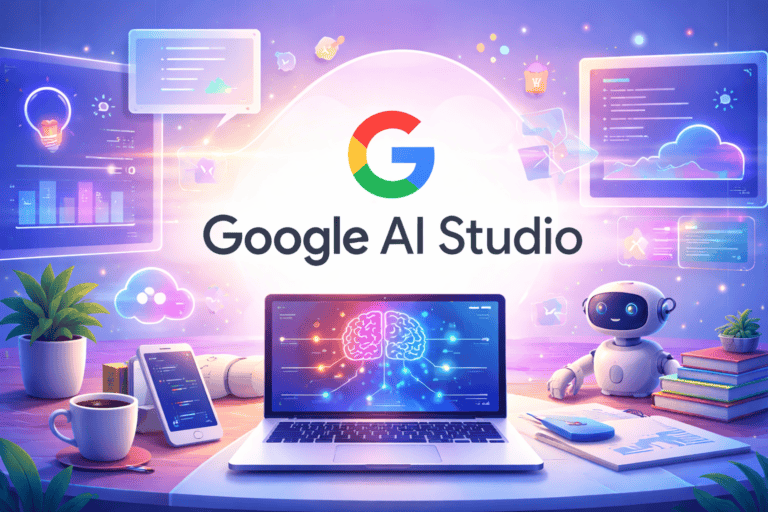
You want to understand how Google AI Studio fits into your work, your ideas, and the Nigerian market. This article sets the stage by showing how Google’s AI tools support text, images, video, code, and business tasks in one place. It also points to how local language support and flexible workflows matter for real use in Nigeria.
You will see how Google AI Studio models can help you build, test, and scale AI ideas that match Nigerian needs and everyday challenges. The article guides you through innovation, integration, and practical limits, so you know what to expect before you start using these tools.
1: Gemini Text Model
The Gemini Text Model in Google AI Studio helps you write, edit, and understand text. You use it to answer questions, explain topics, and create clear written content. It works well for everyday tasks that need accurate language.
You can rely on this model for school work, business writing, and basic research. It handles long text, which helps when you upload documents or notes and ask follow‑up questions. You stay in control by guiding it with clear prompts.
In Nigeria, you may find it helpful in drafting emails, reports, and study materials. You can also use it to rewrite content in simple English or adjust the tone for different audiences. The model focuses on clarity and structure rather than style tricks.
You access the Gemini Text Model through Google AI Studio without a complex setup. You type your request, review the output, and refine it as needed. This makes it practical for both beginners and regular users.
2: Gemini Image Generation Model
The Gemini Image Generation Model lets you create images from text prompts inside Google AI Studio. You type what you want to see, and the model returns images that match your description.
You can use this model to design marketing visuals, social media posts, or simple illustrations. It works well when you give precise details, such as style, colours, and scene.
Google builds this image model on Imagen technology. Images include a hidden SynthID watermark that helps identify AI‑generated content without altering the picture.
You can also edit existing images by describing text changes. This feature helps you adjust backgrounds, objects, or lighting without starting over.
If you build apps or websites, you can connect the model through the Gemini API. This setup allows your users to generate images directly from your product or service.
3: Gemini Video Analysis Model
The Gemini Video Analysis Model helps you understand video content by reading both visuals and sound. You can upload a video and ask clear questions about what happens in each scene. The model links actions, speech, and timing to give direct answers.
You can use it to create short event descriptions for a video. It can point out key moments, people, objects, and spoken words. This makes it worthwhile when you need quick insight without having to watch the whole clip.
In Google AI Studio, you can work with this model through simple tools. You upload a file, set your instructions, and review the results in one place. You do not need to write code to get started.
For Nigerian users, this model is well-suited for tasks such as media review, training videos, and recorded meetings. You can analyse local-language speech if it is clearly audible in the audio. You can also review visual details from field recordings or social content.
The model focuses on understanding, not editing. You control what you ask, and it responds based on what it detects in the video. This keeps the results clear and tied to the actual content.
4: Multimodal Interaction Model

You use a multimodal interaction model to handle multiple types of input simultaneously. The model can handle text, images, audio, and video within a single workflow. This helps you ask clearer questions and get more useful answers.
In Google AI Studio, this model often appears through Gemini-based tools. You can upload an image, add text instructions, and receive a single response that links both inputs. This reduces the need to switch between separate tools.
You benefit from this model when you build apps for real-world use. For example, you can analyse product photos, explain them in text, or combine voice input with written prompts. This aligns well with local use cases such as education, retail, and media.
You also gain better context in your results. The model connects details across inputs rather than treating each one separately. This leads to clearer outputs and fewer misunderstandings in your projects.
5: Customisable AI Workflows
You can shape AI workflows in Google AI Studio to match your exact needs. You design prompts, adjust settings, and test results in one place. This control helps you build tools that fit your tasks and users.
You can combine text, images, and files in a single workflow. You upload data, ask questions, and guide the model step by step. This approach suits content review, data checks, and fundamental analysis.
You can move from testing to building without friction. Google AI Studio lets you export your work to code using the Gemini API. You then connect it to apps, websites, or internal tools.
You can also link your work to Vertex AI when you need more scale. This path supports teams, monitoring, and managed deployment. It helps you grow from simple tests to real products.
For Nigerian teams, these workflows reduce setup time and cost. You focus on solving local problems, not complex tools. You adapt quickly as needs change.
6: Nigerian Language Processing Model
You use a Nigerian language processing model when your app must understand local speech, text, and accents. This model focuses on Nigerian English and major regional languages. It helps your system read, listen, and respond in ways users recognise.
The model handles speech recognition, text analysis, and text-to-speech. You can turn written text into audio with Nigerian accents. You can also transcribe spoken words into clear text for search or support tools.
Local projects like YarnGPT show how focused data improves results. Developers trained these systems with Nigerian voices and writing. You benefit from better accuracy because the model reflects real language use.
You can connect this model in Google AI Studio to build chat tools, readers, or voice apps. It fits nicely in education, media, and customer support. You get practical language support without a complex setup.
7: AI-Powered Code Export to Gemini API
Google AI Studio lets you turn your prompts into working code that connects to the Gemini API. You can build a prompt in the browser and then export it as code for your app.
You choose a language like Python or JavaScript before exporting. The tool creates clean code that sends requests to Gemini and handles the responses.
This feature helps you move from testing to building without extra setup. You avoid writing API calls from scratch and reduce basic errors.
You can edit the exported code to fit your project needs. For example, you can add your own inputs, change settings, or connect other services.
If you work with small teams or limited time, this saves effort. You focus on your app’s logic while Gemini handles AI tasks via the API.
8: Vertex AI Integration
You can connect Google AI Studio models to Vertex AI to move from testing to real use. Vertex AI gives you one place to train, test, and deploy models on Google Cloud. You keep control of your projects as they grow.
You use Vertex AI Studio to try prompts, adjust settings, and check results. This setup helps you see how a model behaves before you deploy it. You reduce guesswork and save time during development.
Vertex AI also links with Model Garden, where you explore Google models and some open-source options. You can customise models to fit your data and needs. This flexibility helps you build tools for local business, finance, health, or education in Nigeria.
You manage data, models, and deployment from the same platform. This reduces the need to switch tools or services. You focus on building beneficial AI features instead of managing complex systems.
9: Generative AI for Business Solutions
You can use generative AI in Google AI Studio to solve real business problems. The tools help you build apps that create text, images, and other content from simple prompts. You work faster because you test ideas in one place.
Google AI Studio gives you access to advanced models made for practical tasks. You can use them for customer support replies, product descriptions, and simple reports. These models perform well on language tasks and adapt to diverse use cases.
For Nigerian businesses, these tools support local growth and scale. You can build solutions that serve many users without large teams. This works well for startups, SMEs, and digital agencies.
You also connect generative AI with search and data tools. This helps you find answers across documents and apps. You spend less time searching and more time making decisions.
You control how the models behave through prompts and settings. This helps you match your brand voice and business rules. You deploy your solutions when they are ready, using cloud tools designed for production use.
10: Prompt Testing Playground
The Prompt Testing Playground lets you test and adjust your prompts in one place. You can see how small wording changes affect the output. This helps you learn what works before you build anything bigger.
You can test prompts across different AI models inside Google AI Studio. You compare results side by side and spot apparent differences. This saves time and reduces guesswork.
The playground supports text, image, and other input types. You can try the same prompt with different formats. This helps you choose the right model for your task.
You can reuse saved prompts from the prompt gallery. These examples show common patterns that already work well. You can edit them to match your own needs.
You get fast feedback as you test and refine your ideas. You do not need to write code to start. This makes it a valuable playground for beginners and experienced users alike.
For Nigerian users, this tool helps you test local wording and context. You can check tone, clarity, and meaning before sharing content with others. This leads to more accurate and valuable results.
How Google AI Studio Models Are Shaping Innovation in Nigeria
Google AI Studio models now play a direct role in how you build, test, and scale AI tools in Nigeria. They support real business needs while aligning with local data, language, and constraints on cost and infrastructure.
Transforming Key Industries
You see the impact first in healthcare, finance, education, and agriculture. AI Studio models help you analyse data, automate routine tasks, and improve service speed.
| Industry | Practical use in Nigeria |
|---|---|
| Healthcare | Triage tools, patient chat support, and data analysis |
| Finance | Fraud checks, customer support bots, and credit insights |
| Education | Personalised learning tools and content creation |
| Agriculture | Crop advice, price forecasts, and weather insights |
These models support text, images, and structured data. That makes them useful even with limited hardware.
You can also fine-tune models using local data, which improves accuracy for Nigerian users and languages.
Empowering Developers and Startups
You gain faster paths from idea to product using Google AI Studio. Tools like Gemini models reduce setup time and lower costs. This matters when you work with small teams or tight budgets.
Google-backed programmes in Nigeria support this work. These include Build with AI, startup funding initiatives, and government-linked AI funds. You get access to training, cloud credits, and mentors.
Key benefits for you include:
- Rapid prototyping with ready-to-use models
- Scalable deployment on Google Cloud
- Local relevance through custom prompts and tuning
These tools help you compete, test ideas early, and build products ready for fundamental Nigerian markets.
Challenges and Considerations for Google AI Studio Adoption
You can gain real value from Google AI Studio, but practical limits affect daily use in Nigeria. The most significant issues involve internet access, power stability, and how you handle user data in accordance with local laws.
Addressing Infrastructure Gaps
You rely on a steady internet connection to use Google AI Studio because it runs in the browser and connects to cloud models. In many parts of Nigeria, slow speeds and outages disrupt testing and prompt work.
Power cuts also break long sessions. You may lose unsaved work or face delays during model testing. A laptop battery helps, but it does not solve extended outages.
Common gaps you may face include:
- Unstable broadband, especially outside major cities
- High data costs during heavy testing
- Limited access to GPUs, since models run in the cloud
You can reduce impact by saving prompts often and working during off‑peak hours. Exporting work to Colab or local tools also helps when access drops.
Data Privacy and Local Regulations
You must treat data carefully when using Google AI Studio with real user content. Nigeria’s NDPR requires explicit consent and proper handling of personal data.
You should avoid pasting sensitive details into prompts. This includes phone numbers, ID data, or payment records. Even test data can create risk if it links back to real people.
Key points to manage:
- Use anonymised or synthetic data for testing
- Review Google’s data use terms for Gemini models
- Store results in systems that follow NDPR rules
If you build tools for Nigerian users, you carry the duty to protect their data. Clear policies and carefully designed prompts reduce legal and trust risks.

Senior Reporter/Editor
Bio: Ugochukwu is a freelance journalist and Editor at AIbase.ng, with a strong professional focus on investigative reporting. He holds a degree in Mass Communication and brings extensive experience in news gathering, reporting, and editorial writing. With over a decade of active engagement across diverse news outlets, he contributes in-depth analytical, practical, and expository articles exploring artificial intelligence and its real-world impact. His seasoned newsroom experience and well-established information networks provide AIbase.ng with credible, timely, and high-quality coverage of emerging AI developments.